Kontron K393-Nx
Board Identification
Identifier: K393-Nx
Yocto MACHINE: k393x-mini-x86
Documentation:
Features:
- CPU: : Intel Processor N50
- RAM: DDR5 4800 SDRAM (1x SO DIMM socket)
- Storage: 1x SATA + 3x M.2 PCIe
- AMI BIOS Aptio 5.x
- 2x RJ45 Ethernet
- 5x USB ports
- Video & sound:
- Intel UHD Gen12 Gfx
- DisplayPort
- Stereo Audio
- 8-34V DC-In Power
- 1x RS232,422,485 - 8 Bit GPIO
Boot Sequence
- The UEFI loads the Comboapp and starts the Kernel
- The kernel mounts the initial ram file system (initramfs) and starts Init
- The Init check the UEFI environment and synchronize the UEFI variables with Bootflags (A reboot may occurr in this step to update the UEFI environment)
- The Init mount the active partitions and runs the init system (systemd)
First Installation
- On your PC:
- Install the
.wicfile in the boot device/disk - Plug the peripheral into the target machine
- Install the
Warning
Make sure that the WELMADEV variable is correct before running the
commands, dd will irreversibly override the targeted
device and any data it contains.
-
On the target machine:
- Power on the target machine
- Enter the UEFI menu
-
In the
Save & Exitmenu, select the first partition of your disk (usually displayed with the manufacturer's name). As in the following image: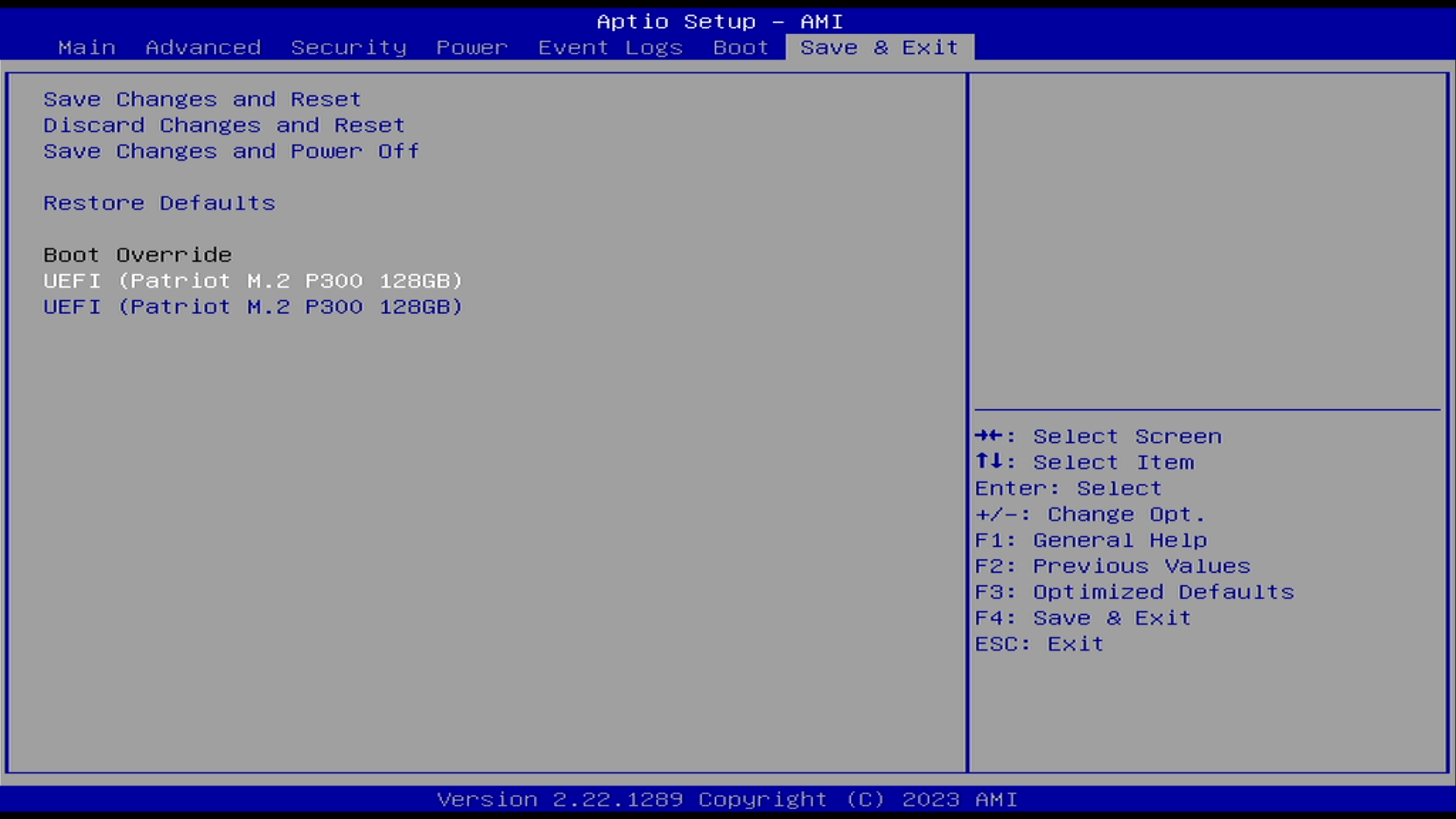
-
The UEFI will load and execute the selected boot entry
- Welma checks the UEFI environment at each boot, in the case of the first boot, the UEFI environment will be updated and the system will reboot.
- After this boot, UEFI will launch the comboapp contained in the first partition of the Welma disk (the boot order has been updated).
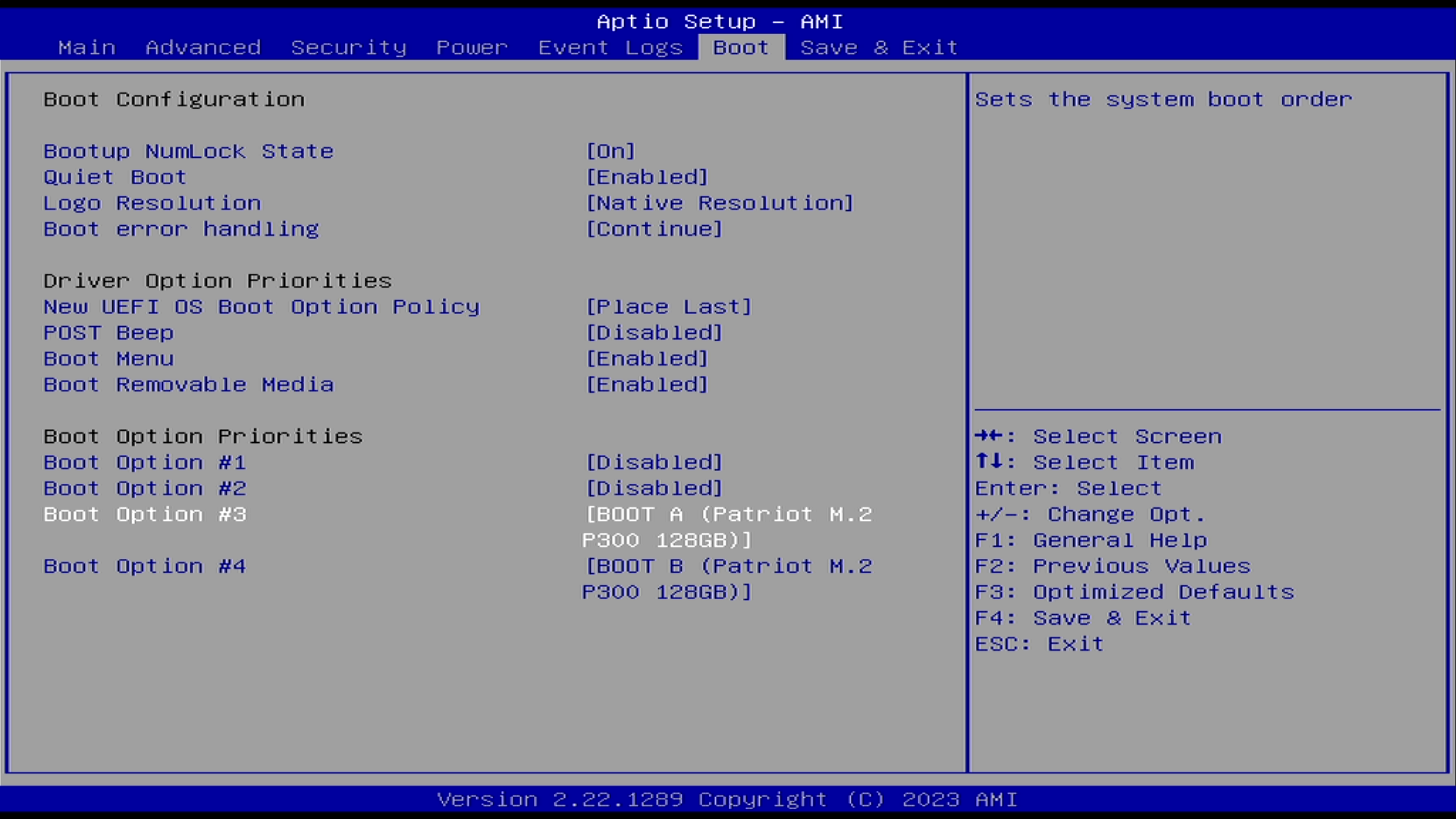
Changing the boot device
It's always possible to start Welma from another device. To do this:
- Plug the new device into the target machine
- In the
Save & Exitand select the first partition of the new disk as in the following image: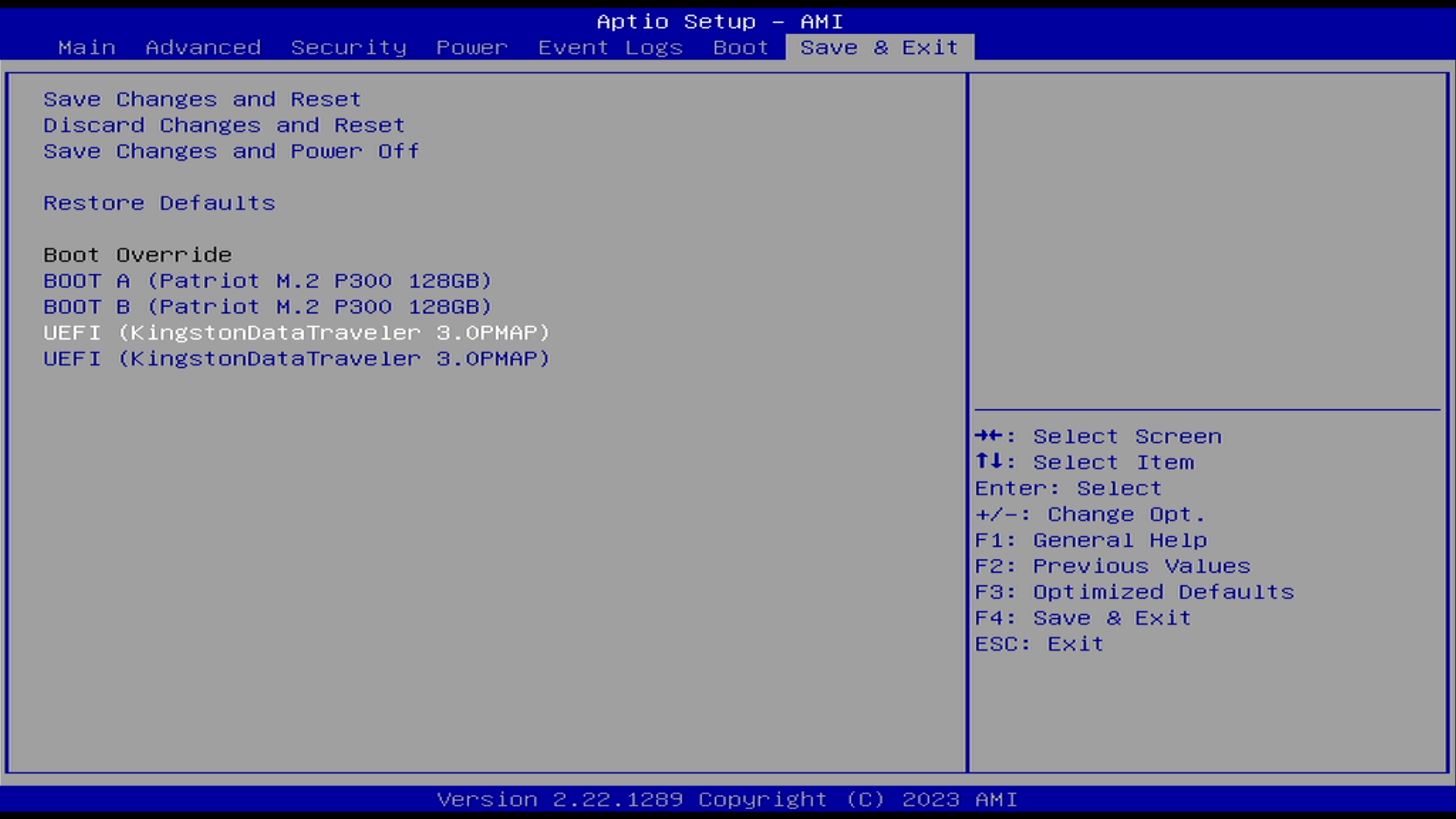
- Welma checks the UEFI environment at each boot, in the case of the first boot, the UEFI environment will be updated and the system will reboot
Appendix
Connections
- Power and Serial ports
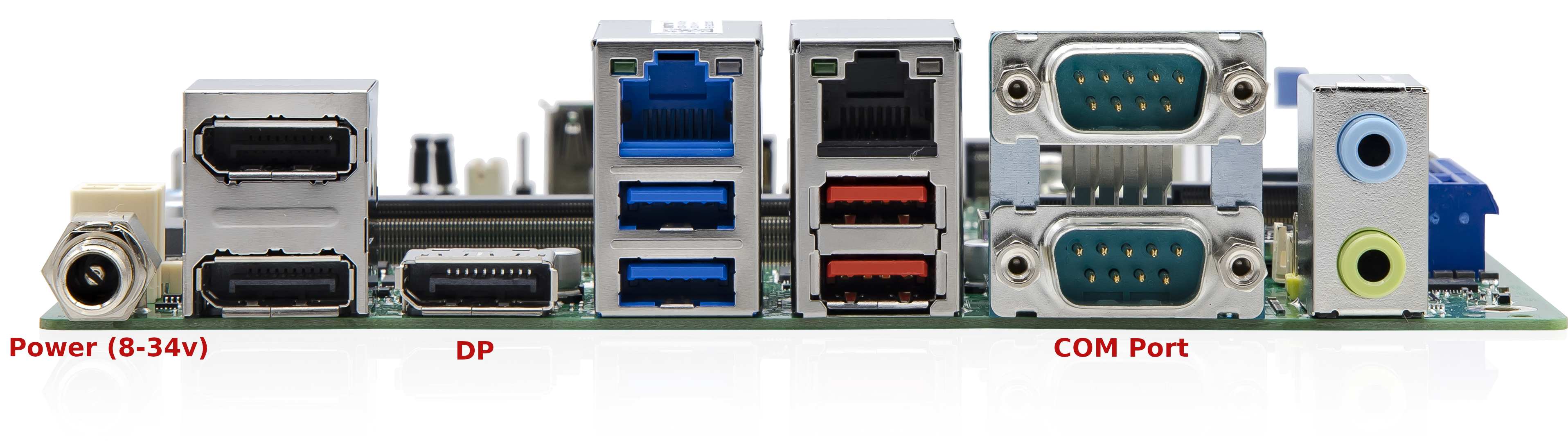
Hardware Watchdog
The K393-Nx machine uses the Intel iTCO hardware watchdog. To support this
functionality, the system requires BIOS version 1.4.0 or later, as earlier
versions do not properly expose the iTCO watchdog interface to the operating
system.
The BIOS versions can be found here: FTP-Link: BIOS & BIOS-Release Notes K393x-N